

Office by Ʒʙɪ
Your domain. Your workspace.
Your business, connected — mail, bookings, files, meetings and maps on your own domain.
Five apps, one account. Start free and keep your domain where it is.
- Free to start
- No card required
- No domain transfer
One booking flows through every app: BookedMetSavedArrivedFollowed up
The 3ʙɪ suite
Everything your day calls for.
Start with the app you need today. The rest are already here when your work needs them.
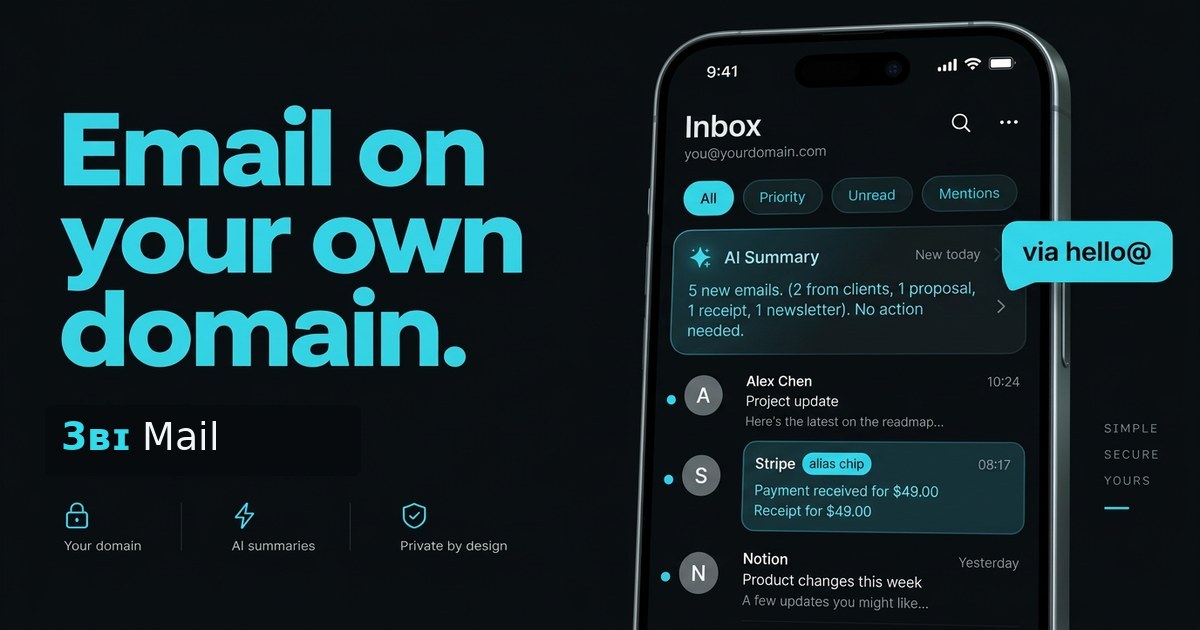
inbox.3bi.io
Email on your domain
- hello@, sales@ and aliases — one inbox
- AI summaries and replies when you ask
- Spam control and one-click unsubscribe
Featured
3ʙɪ OS — your whole business on one screen.
All five apps become one calm home screen you control with a TV remote, a keyboard or your thumb.
- TV
- PC
- Phone
- TV launcher & remoteBig cards and arrow-key control for a living-room or lobby screen.
- Live PC statusCPU, memory, disk and network, refreshed every few seconds.
- Approval-first assistantAnswers from your real data. Nothing changes until you say yes.

Better together
From the first booking
to the next conversation.
Less passing work between disconnected tools. More time for the people you serve.
01
Let customers book
Share your availability. Customers choose a meeting type and a time in their own time zone.
02
Meet without the friction
Add a Meets link to the booking. Guests join in their browser without an account.
03
Keep the work together
Save meeting recordings to Drive and share the files your customers need.
04
Make arriving easier
For in-person bookings, give customers directions with live-traffic routing.
05
Follow up as your business
Send confirmations and follow-up from your domain address, not a generic inbox.
Keep familiar tools, too. Connect Gmail, use compatible calendar invites, and explore Mail AI integrations with review-before-apply organization.
Built around your business
A professional presence.
A simpler working day.
For service businesses, independent professionals and small teams who want their customer work to feel connected.
Pricing, support & our storyAn example day · Magnolia Maids
From a quote to a completed clean.
A customer emails hello@magnoliamaids.pro. They book a clean online and open directions from the booking page. Checklists and photos live in Drive; a Meets walkthrough keeps everyone on the same page.
Your address. Your booking link. Your way of working.
A straightforward start
Keep your domain.
Build your workspace.
You don't need to move everything at once. Start with one app, and connect your domain when you're ready.
- 01
Create an account
Start with Google or email. One account opens all five apps.
- 02
Add your domain
Add the DNS records for your email. Your domain stays with its current provider.
- 03
Make it your workspace
Create addresses, share a booking page and bring your files into Drive. Use what you need.
Control stays with you.
Owner-scoped mail and files, protected sharing links, and AI organization you review before applying. No ads.
Our approach to privacyYour workspace goes with you.
Use 3ʙɪ in your browser or add it to your home screen. The same account, on phone and computer.
Get 3ʙɪ on your deviceQuestions
What does it cost to get started?
3ʙɪ is free to start during early access, with no card required. Visit the Business page for the current offering and support information.
Do I need to move my domain?
No. Your domain stays with your provider. To use domain email, you add DNS records there. You can create an account before connecting your domain.
Can I keep my existing Google or Outlook email?
Yes. Use a separate mail subdomain, such as inbox.yourbusiness.com, so your existing email keeps working. Google sign-in users can also connect their Gmail inbox.
Do customers need a 3ʙɪ account?
No account is needed to use your public booking page or join a Meets guest link. Shared-file links can also be opened without an account, subject to the password and expiry you set.
Does Calendar work with Google, Apple and Outlook?
Booking confirmations include calendar invites that guests can add to Google, Apple, Outlook and other compatible calendar apps. This is invite compatibility, not automatic two-way calendar syncing.
How much can I store in Drive?
There is no overall storage limit today. Each individual file can be up to 5 GB, and interrupted uploads can resume.
How does AI use my email?
You can ask for summaries and suggested replies. Mailbox organization produces a plan for you to review before applying selected changes. External AI tools currently connect to Mail only.